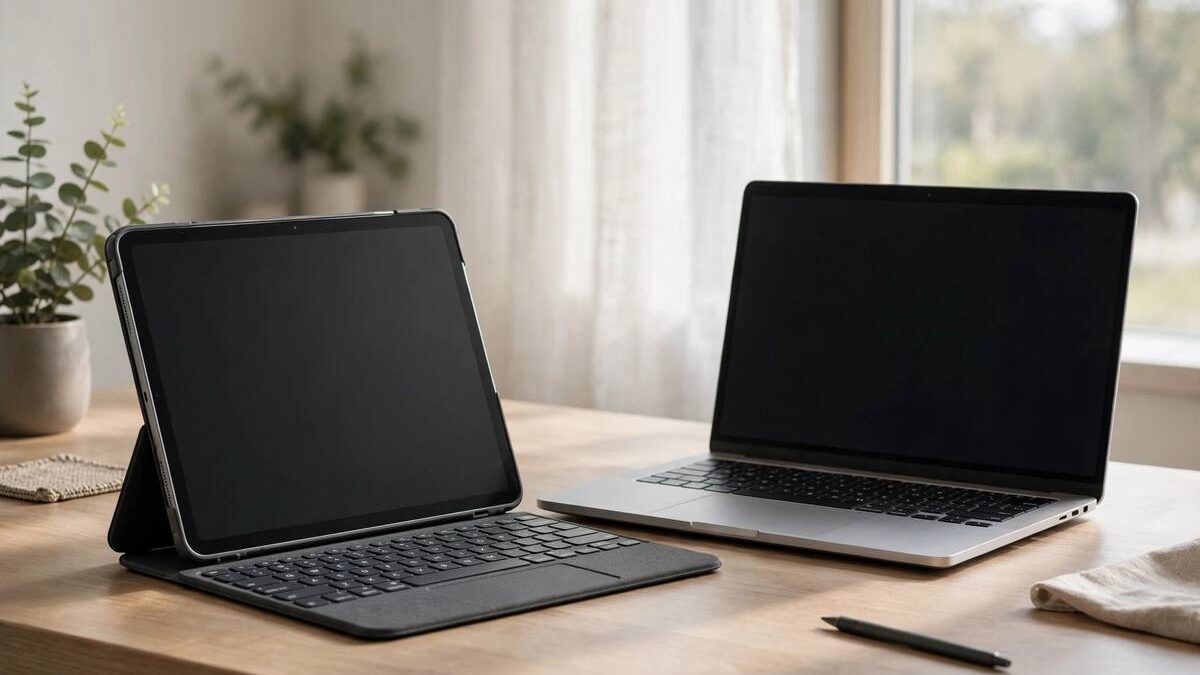
Tablets have grown up. With keyboard attachments, desktop-class chips, and increasingly capable software, the line between tablet vs laptop has blurred to the point where many buyers genuinely wonder if a tablet can replace their laptop. The answer, as always, depends on what you actually do.
For some people, a tablet with a keyboard is not just adequate but preferable: lighter, simpler, with better battery life and a more pleasant media experience. For others, it is a frustrating compromise that reveals its limits the first time real work appears. Knowing which camp you fall into saves money and regret.
This guide compares tablets and laptops across portability, performance, software, input methods, and price, with honest assessments of where tablets shine and where laptops remain essential.
- The Core Trade-Off
- Portability and Battery
- Performance Reality Check
- Software and App Ecosystems
- Input: Keyboards and Styluses
- Price and Value
- Who Should Buy Which
The Core Trade-Off
The fundamental trade-off is flexibility versus focus. Laptops run full desktop operating systems with decades of software, unrestricted multitasking, and complete file system access. Tablets offer curated simplicity: instant-on, touch-first interfaces, and apps designed for the form factor, at the cost of desktop software compatibility.
This trade-off manifests in daily friction points. On a laptop, you can install any software, manage files freely, and connect any peripheral. On a tablet, you work within the app store’s offerings, adapt to mobile-style file management, and occasionally discover that a task you take for granted is awkward or impossible.
Neither is universally better. Writers who live in a word processor may find tablets liberating, while developers, accountants, and data analysts will hit walls immediately. Audit your actual workflows, not aspirational ones, before deciding.
Portability and Battery
Tablets win portability decisively. They are thinner, lighter, and more comfortable for reading, media, and casual browsing anywhere: couch, plane, bed. Detaching the keyboard transforms them instantly from work device to entertainment slate, a versatility no laptop matches.
Battery life favors tablets too, with many lasting well beyond a full day of mixed use. Their efficient chips and instant sleep/wake mean you stop thinking about charging. Laptops have closed the gap, but tablets still set the standard for all-day-and-then-some endurance.
Consider your carrying reality. If your device travels everywhere and you value one-handed use, the tablet form factor delights daily. If it mostly sits on a desk, portability advantages fade and the laptop’s ergonomic and software benefits dominate.
Performance Reality Check
Modern tablets pack impressive chips that rival laptop processors for many tasks. Video editing, photo manipulation, and even 3D work run surprisingly well on premium tablets. For creative workflows optimized for touch and stylus, tablets can feel faster than the spec sheets suggest.
The limitation is rarely raw speed but sustained performance and software optimization. Tablets throttle sooner under extended heavy loads due to fanless designs, and professional desktop applications are often absent or feature-limited in tablet versions. Check that your specific software exists in full form on the tablet platform before assuming performance parity.
Multitasking illustrates the gap well. Laptops handle many windows, external monitors, and complex workflows naturally. Tablets have improved with split-screen and stage-manager-style features, but juggling research, writing, and communication across many sources remains more fluid on a laptop. Students comparing options should weigh this against excellent note-taking apps, where tablets with styluses genuinely excel.
Software and App Ecosystems
Software availability is the decisive factor for most buyers. List every application you depend on, then verify tablet versions exist with the features you need. Web apps narrow the gap considerably: if your work lives in a browser, the underlying OS matters far less than it used to.
Creative professionals should scrutinize tablet app versions carefully. Some are superb, arguably better than desktop for touch workflows, while others are stripped-down companions missing critical features. Trial the tablet versions with real projects during the return window, not just casual testing.
Specialized and legacy software remains laptop territory. Industry-specific tools, older enterprise applications, and anything requiring plugins or extensions usually demand a full desktop OS. When in doubt, the laptop is the safe choice; a tablet that cannot run your essential software is an expensive media player.
Input: Keyboards and Styluses
Tablet keyboards have improved enormously but still trail good laptop keyboards for extended typing. Key travel is shallower, layouts occasionally compromise, and lap-ability, typing with the device on your knees, remains awkward. If you type for hours daily, test a tablet keyboard rigorously before committing.
The stylus is the tablet’s superpower. Handwritten notes, sketching, photo editing, and document annotation feel natural in ways laptops cannot replicate. For students, artists, and anyone who thinks with a pen, this alone can justify the tablet choice.
Touch interfaces excel at consumption and creation alike for media, reading, and casual tasks. But precision work like spreadsheets, coding, and detailed design benefits from mouse and keyboard. Many tablets now support mice and trackpads well, blurring the line further, so evaluate the complete input setup rather than the tablet alone.
Price and Value
Tablet pricing is deceptive. The base price looks attractive, but essential accessories, keyboard, stylus, sometimes a charger, can add hundreds. A fully equipped premium tablet often costs as much as a very good laptop. Calculate the total system price before comparing.
Laptops typically include everything in the box and offer more performance per dollar at equivalent prices. Mid-range laptops deliver remarkable value, while mid-range tablets occupy an awkward middle: not cheap enough to be impulse buys, not capable enough to replace laptops for demanding users.
Consider longevity and resale. Premium tablets hold value well and receive long software support, while budget tablets age quickly. Whatever you choose, Microsoft’s and other manufacturers’ trade-in programs can offset upgrade costs when the time comes.
Who Should Buy Which
Choose a tablet if your work is browser-based or app-based, you prioritize portability and battery, you value stylus input for notes or art, and you mainly consume media. Students taking handwritten notes, frequent travelers, and casual users often find tablets ideal, especially when home Wi-Fi is properly secured for all those connected devices.
Choose a laptop if you depend on desktop software, multitask heavily across many windows, type for hours daily, or need maximum flexibility. Professionals, developers, researchers, and anyone with specialized workflows should default to laptops.
Consider both if budget allows: a laptop for serious work and a basic tablet for reading and travel. And remote workers should note that VPNs for remote work protect either device equally on untrusted networks. The best device is the one that fits your actual life, not the one with the most impressive demo.